
Can I change the frequency of my shipments after my initial order?Updated 8 months ago
Once logged into your Subscriber Portal, scroll down and click edit next to the product you'd like to change your shipping frequency for.

Then, Click on the current date your product is to ship on and click a new date on the calendar that pops up. Click "Update Next Shipment Date".
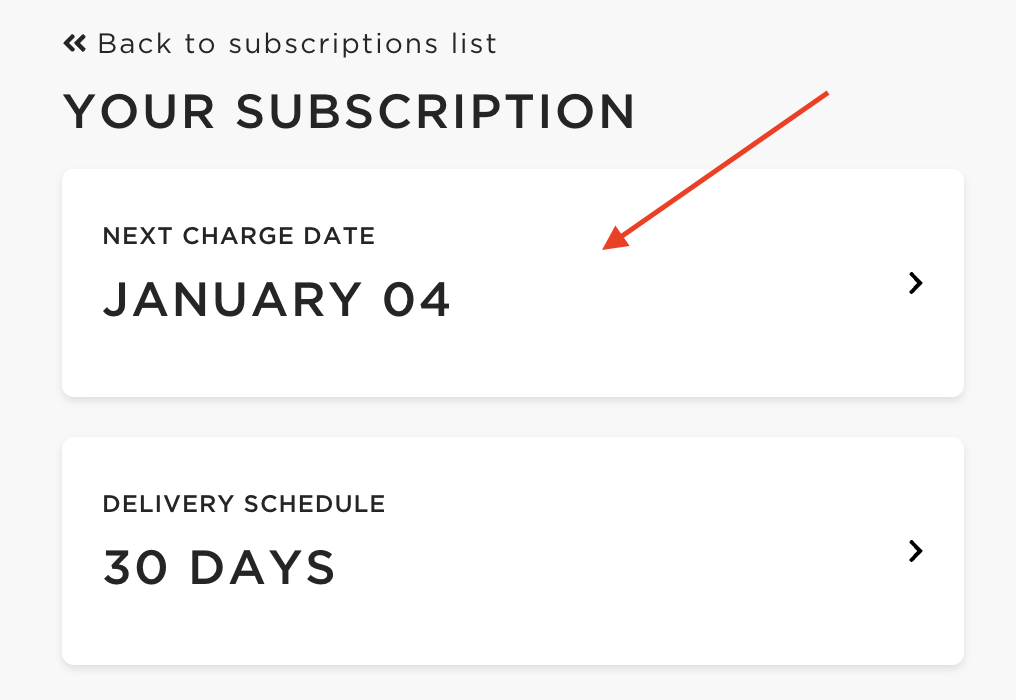
**Note: make sure to do this for each product you'd like to change your next shipment date for. Each product in your subscription set on the same shipment date, will all together.
There's also a calendar option where you can choose to schedule your shipment for any date in the next 90 days.
Not finding what you’re looking for? Please feel free to reach out to our Consumer Support Team at [email protected] or (213) 699-4616 and we’d be happy to help!
For texts outside of the US or Canada, text us at +44 7782335749!